


PlugboxLinux Minecraft is a term people often use when searching for ways to run Minecraft on a lightweight Arch-based Linux system. The phrase sounds like the name of a special game edition, but that is not accurate. There is no official Minecraft release called PlugboxLinux Minecraft, and the original PlugBox Linux project was not built as a gaming operating system. It was an early Arch Linux port for small ARM plug computers, which makes its history interesting even though the original hardware is no longer suitable for modern Minecraft.
The most useful way to understand PlugboxLinux Minecraft today is as a guide to running Minecraft on a minimal Arch-based setup. A carefully configured desktop, laptop, mini PC, or modern ARM64 device can provide smooth gameplay and strong server performance, but it still needs current Java support, correct graphics drivers, and suitable hardware.
What PlugBox Linux Originally Was
The original PlugBox Linux project was created for compact ARM devices such as the SheevaPlug and Pogoplug. These low-power machines were intended for storage, printing, networking, and basic server tasks. Many had limited memory, modest processors, and no graphics hardware capable of running a modern 3D game. That history explains why PlugboxLinux Minecraft can be misleading when it is described as a current gaming platform.
The work behind PlugBox Linux later became associated with Arch Linux ARM. Its lightweight base, rolling updates, and Pacman package manager remain useful ideas because a small operating system can leave more resources available for a game or server. However, the original ARMv5 plug computers lack the memory, Java support, and CPU power needed for current releases.
A modern PlugboxLinux Minecraft setup therefore needs recent 64-bit hardware. At least 8 GB of total RAM is a practical starting point for play, while a server benefits from a fast processor, SSD storage, and enough memory for Linux and Java. Modern ARM64 boards may work when Java and software support are available.
Current Minecraft Requirements
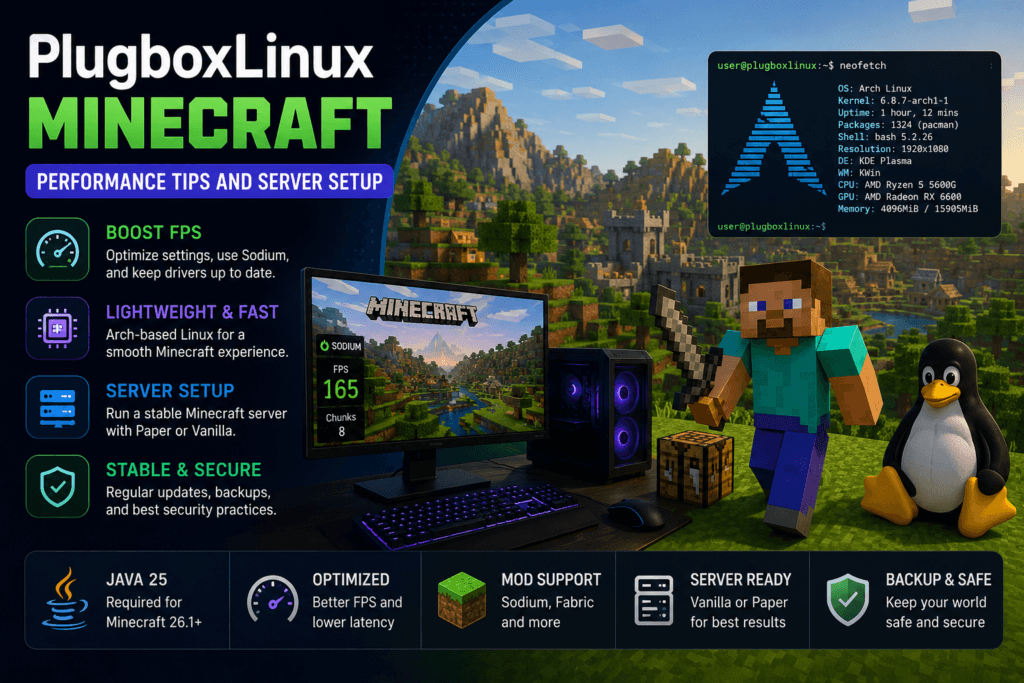
Modern Minecraft Java Edition uses a newer Java runtime than many older guides mention. Releases beginning with Minecraft Java Edition 26.1 require Java 25, so instructions based on Java 17 or Java 21 may now be outdated. This is one of the most important facts for anyone installing PlugboxLinux Minecraft on an Arch-based system. A launcher or server can fail immediately when the active Java version is too old.
Mojang also changed the game’s numbering system in 2026. Current releases use the year as the first part of the version, which is why they appear as 26.1 and 26.2 rather than continuing the older 1.21-style sequence.
The Minecraft 26.2 release introduced experimental Vulkan rendering alongside OpenGL. Vulkan gives Linux players another rendering path to test, but it should not be treated as an automatic performance boost. Its results depend on the graphics card, driver, and system configuration. On some computers it may improve frame consistency, while on others it may cause crashes, visual errors, or lower performance.
Installing Minecraft on an Arch-Based System
A clean installation starts with a full system update. Since Arch Linux follows a rolling-release model, partial upgrades can create driver and library conflicts. Updating everything before installing Java or graphics packages reduces the chance of mismatched components.
Current PlugboxLinux Minecraft installations should use Java 25 from the official Arch repositories when it is available for the target architecture. The full runtime suits the graphical client, while the headless package is enough for a dedicated server. After installation, the active Java version should be checked because several Java releases can exist on one system.
Players can use the official launcher or a trusted option such as Prism Launcher. It keeps game versions, mod loaders, Java settings, and mods in separate instances, making it easier to test changes and keep vanilla and modded profiles apart.
How to Increase FPS on PlugboxLinux Minecraft
The best way to increase fps plugboxlinux minecraft performance is to identify the actual bottleneck before changing random settings. Minecraft can be limited by the CPU, GPU, memory, storage, graphics driver, or world complexity. A powerful graphics card cannot prevent stuttering when the processor is overloaded by entities, redstone, chunk updates, and simulation work.
The first check should be the graphics device shown on the F3 debug screen. Laptops with integrated and dedicated graphics may launch the game on the slower chip, which can reduce performance sharply. The same screen can help confirm whether the game is using OpenGL or the experimental Vulkan renderer. This makes comparisons more reliable.
A current graphics stack is essential for PlugboxLinux Minecraft. Intel and AMD systems usually rely on updated Mesa packages, while NVIDIA systems need a suitable driver for the installed GPU and kernel. Old or mismatched drivers can cause low FPS, crashes, missing textures, and Vulkan failures. Keeping the driver setup simple is usually safer than mixing packages from several sources.
OpenGL, Vulkan, and Performance Mods
OpenGL remains the safest choice because it has a long history of Minecraft support and works across more Linux hardware. Vulkan is newer and should be tested in the same world location with the same settings. Players should compare both average FPS and frame-time stability because a higher maximum frame rate is not useful when movement feels less smooth. If Vulkan creates visual problems or startup crashes, switching back to OpenGL is the sensible choice.
Sodium is one of the most effective client-side optimization mods for Minecraft Java Edition. It replaces parts of the renderer with a more efficient implementation and can improve frame rates, loading, and micro-stutter. The installed version must match both the Minecraft release and the selected mod loader, usually Fabric. A build made for another release may stop the game from starting.
A simple setup with Fabric and Sodium is often better than a large collection of overlapping mods. Players trying to increase fps plugboxlinux minecraft results should install one change at a time and test the same world after each step. Shader packs should be disabled during testing because they can overwhelm the GPU.
Render Distance, Simulation Distance, and Memory
Render distance controls how far the client draws terrain, while simulation distance controls how far entities, crops, redstone, and other game systems remain active. Lowering render distance reduces graphics and chunk-loading work, while lowering simulation distance reduces CPU demand. On weaker hardware, a render distance near 8 chunks and a simulation distance around 5 or 6 chunks can provide a useful starting point. Mid-range systems can increase these values gradually.
Memory allocation also needs balance. Giving PlugboxLinux Minecraft too little RAM can cause loading pauses, but giving it far too much may lead to longer garbage-collection pauses. A normal vanilla installation often runs well with 3 or 4 GB of assigned memory, while large modpacks may require 6 to 8 GB. Linux, the launcher, and background applications still need their own memory.
An unlimited FPS setting can create more heat and power use without making the game look smoother than the display can show. A frame cap close to the monitor’s refresh rate often provides steadier temperatures and more consistent performance. VSync can remove tearing, but it may add input delay or cause larger drops when the system cannot hold the target rate. Testing both settings is better than copying a universal recommendation.
Setting Up a Minecraft Server
A modern PlugboxLinux Minecraft server should run on current 64-bit hardware rather than an original plug device. Administrators can use the official vanilla server for behavior closest to Mojang’s standard game or choose Paper for performance tools, plugin support, and deeper configuration. Paper can improve efficiency, although some mechanics may differ slightly from vanilla.
The server should use its own directory and a Java 25 start command. A small private server may begin with 4 GB of memory, but the correct amount depends on player count, world size, plugins, and view distance. Linux must retain enough RAM for file caching and other services.
The server properties should keep online mode enabled so player accounts are verified. A whitelist is useful for a private server because it prevents unknown users from joining. View distance and simulation distance should begin at moderate values because increasing both can multiply the number of loaded chunks when players travel in different directions.
Improving Server Performance
Minecraft server performance depends heavily on strong single-core CPU speed. More cores can help supporting tasks, but many central game operations still have to finish within each tick. A newer processor with strong per-core performance often handles the game better than an older chip with many slower cores. SSD storage also helps because world generation and saving involve constant file access.
Pre-generating the main playable area can reduce lag caused by new chunk creation. This is especially valuable when several players explore at the same time. Without pre-generation, the server must create terrain while also processing mobs, redstone, player movement, and network traffic. A world border can keep exploration within a manageable area.
Paper includes Spark, a profiler that helps administrators find the real cause of lag. Server health is commonly measured through ticks per second and milliseconds per tick. A healthy server aims for 20 TPS, while each tick should generally remain below about 50 milliseconds. Profiling can reveal excessive entities, overloaded chunks, slow plugins, or repeated scheduled tasks.
Backups and Troubleshooting
Backups are essential before updating the game, Java, mods, plugins, or server software. The server should be stopped fully before copying world files because an active world can change during the backup. Recent Minecraft releases also changed parts of the world folder structure, so old utilities may not always understand newer saves. An untouched copy makes recovery possible when an update fails.
An UnsupportedClassVersionError usually means the active Java runtime is older than the version required by the server or game. A Vulkan startup crash often points to an incompatible graphics driver or missing feature, in which case OpenGL is safer. High average FPS with frequent freezing may come from chunk generation, poor memory settings, disk activity, or overheating. These problems should be measured rather than treated with random startup flags.
Is PlugboxLinux Minecraft Worth Using?
PlugboxLinux Minecraft is worthwhile when the term refers to a lightweight, modern Arch-based Linux environment. It is not a practical way to run current Minecraft on original SheevaPlug-era hardware. The old project is historically important, but its devices do not meet modern game requirements. Current hardware, current Java, and supported drivers are necessary.
For players, the largest gains usually come from correct GPU selection, current drivers, Sodium, sensible render distance, and balanced memory settings. For server owners, the most useful improvements come from a fast CPU, SSD storage, moderate chunk distances, pre-generated terrain, and profiler-based troubleshooting. PlugboxLinux Minecraft performs best when each change is tested carefully instead of applying many tweaks at once.
Frequently Asked Questions
What is PlugboxLinux Minecraft?
PlugboxLinux Minecraft is a search term for running Minecraft on a lightweight, Arch-based Linux system. It is not an official Minecraft edition or a separate game released by Mojang.
Can Minecraft run on the original PlugBox Linux?
Modern Minecraft cannot run properly on the original PlugBox Linux hardware. Devices such as the SheevaPlug have limited memory, outdated processors, and no suitable graphics support.
How can I increase FPS in PlugboxLinux Minecraft?
Update your graphics drivers, use the correct GPU, install Sodium, reduce render distance, lower simulation distance, and avoid allocating too much RAM to the game.
Which Java version does modern Minecraft require?
Minecraft Java Edition 26.1 and newer requires Java 25. Using an older Java version may cause startup errors or prevent the game server from running.
Can PlugboxLinux Minecraft host a server?
Yes, a modern Arch-based Linux system can host a Minecraft server. For better results, use current 64-bit hardware, SSD storage, enough RAM, and a processor with strong single-core performance.
Final Thoughts
PlugboxLinux Minecraft is best understood as a modern Linux setup concept inspired by the lightweight ideas of the old PlugBox project. The historical system helped bring Arch Linux to small ARM devices, but today’s Minecraft requires much stronger hardware and Java 25. A clean Arch-based system can still be an excellent platform for playing and hosting when it is configured correctly.
Anyone trying to increase fps plugboxlinux minecraft performance should begin with drivers, GPU selection, render settings, and Sodium before experimenting with complicated Java arguments. Server owners should focus on CPU speed, memory balance, chunk loading, backups, and accurate profiling. With those basics in place, PlugboxLinux Minecraft can provide a responsive client and a stable server without relying on myths about outdated plug computers.
You May Like: Jayson Tatum Net Worth: How the Celtics Star Makes His Money
